发布于 2023-08-25
Swift - 在 SwiftUI 中添加图像
swift
SwiftUI 中的图像视图是一种用于显示图像的视图。它们是 `SwiftUI` 中最常用的视图之一,因为它们允许您在应用程序中显示图像。
SwiftUI 中的图像视图是一种用于显示图像的视图。它们是 SwiftUI 中最常用的视图之一,因为它们允许您在应用程序中显示图像。
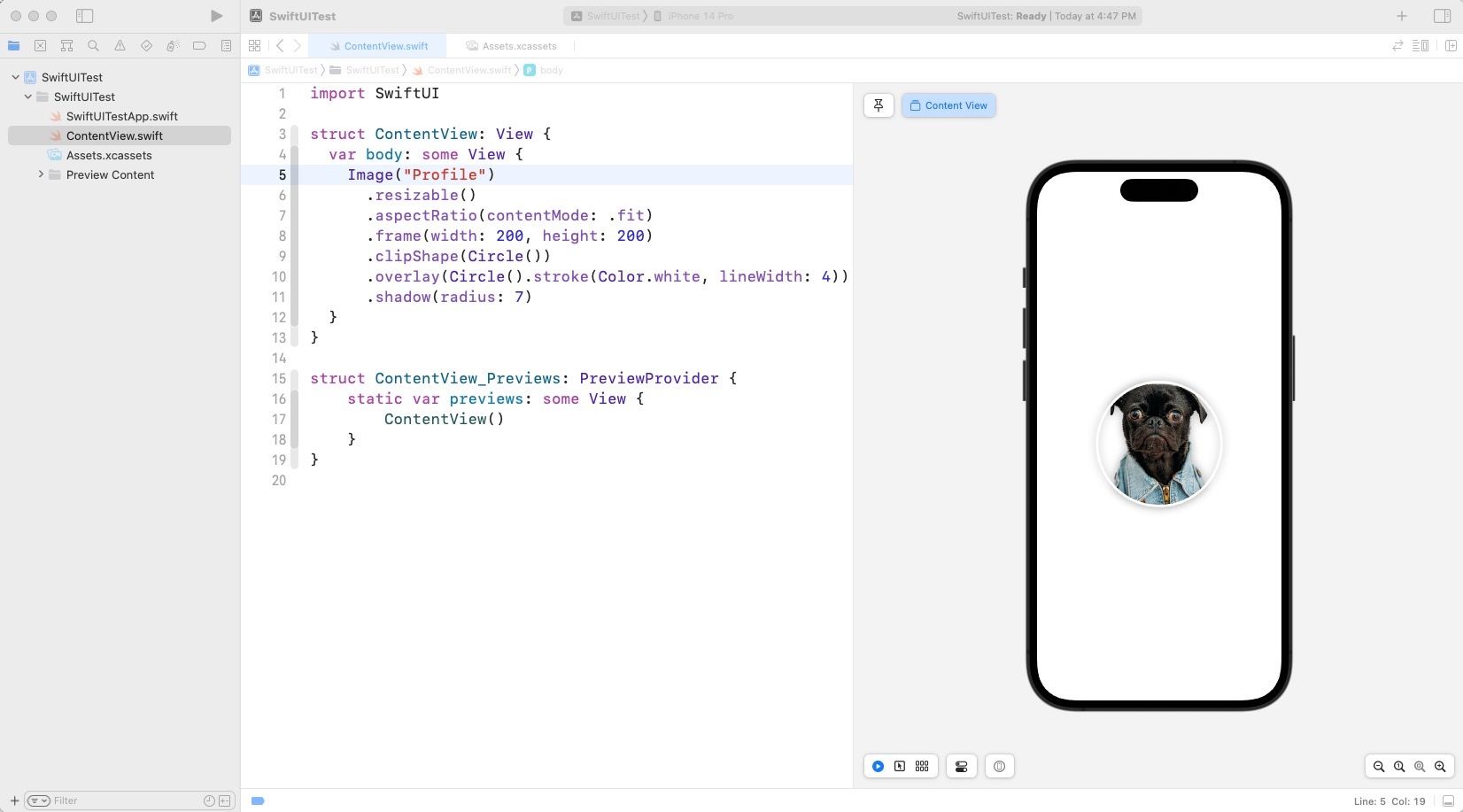
拖拽图像到 Assets.xcassets 中,然后在代码中使用 Image 视图来显示图像。
struct ContentView: View {
    var body: some View {
        Image("Profile").resizeable()
        .aspectRatio(contentMode: .fit)
        .frame(width: 200, height: 200)
        .clipShape(Circle())
        .overlay(Circle().stroke(Color.white, lineWidth: 5))
        .shadow(radius: 10)
    }
}
显示如下:
使用 SF Symbols
SF Symbols 是 Apple 提供的一套图标,可以在 SwiftUI 中使用。SF Symbols 是一套矢量图标,可以在不同的尺寸下显示,而不会失真。
SF Symbols 可以在 Apple 的 SF Symbols 页面上找到。
SF Symbols 可以在 SwiftUI 中使用 Image 视图来显示。要使用 SF Symbols,请使用 Image 视图并将 systemName 参数设置为 SF Symbols 的名称。
struct ContentView: View {
    var body: some View {
        Image(systemName: "person.circle.fill")
        .resizable()
        .aspectRatio(contentMode: .fit)
        .frame(width: 200, height: 200)
        .clipShape(Circle())
        .overlay(Circle().stroke(Color.white, lineWidth: 5))
        .shadow(radius: 10)
    }
}.resizable():使图像可以调整大小。.aspectRatio(contentMode: .fit):使图像保持其纵横比。.frame(width: 200, height: 200):设置图像的大小。.clipShape(Circle()):将图像裁剪为圆形。.overlay(Circle().stroke(Color.white, lineWidth: 5)):在图像周围添加一个圆形边框。.shadow(radius: 10):在图像周围添加阴影。